1
可創建的自定義顏色(PRO版)
使用無限自定義顏色和視覺標籤改造你的 Google 日曆。選擇高級主題,使用彩色標籤徽章組織日程,通過精美有序的日程安排提升工作效率。
 Add To Chrome
 Add to Edge
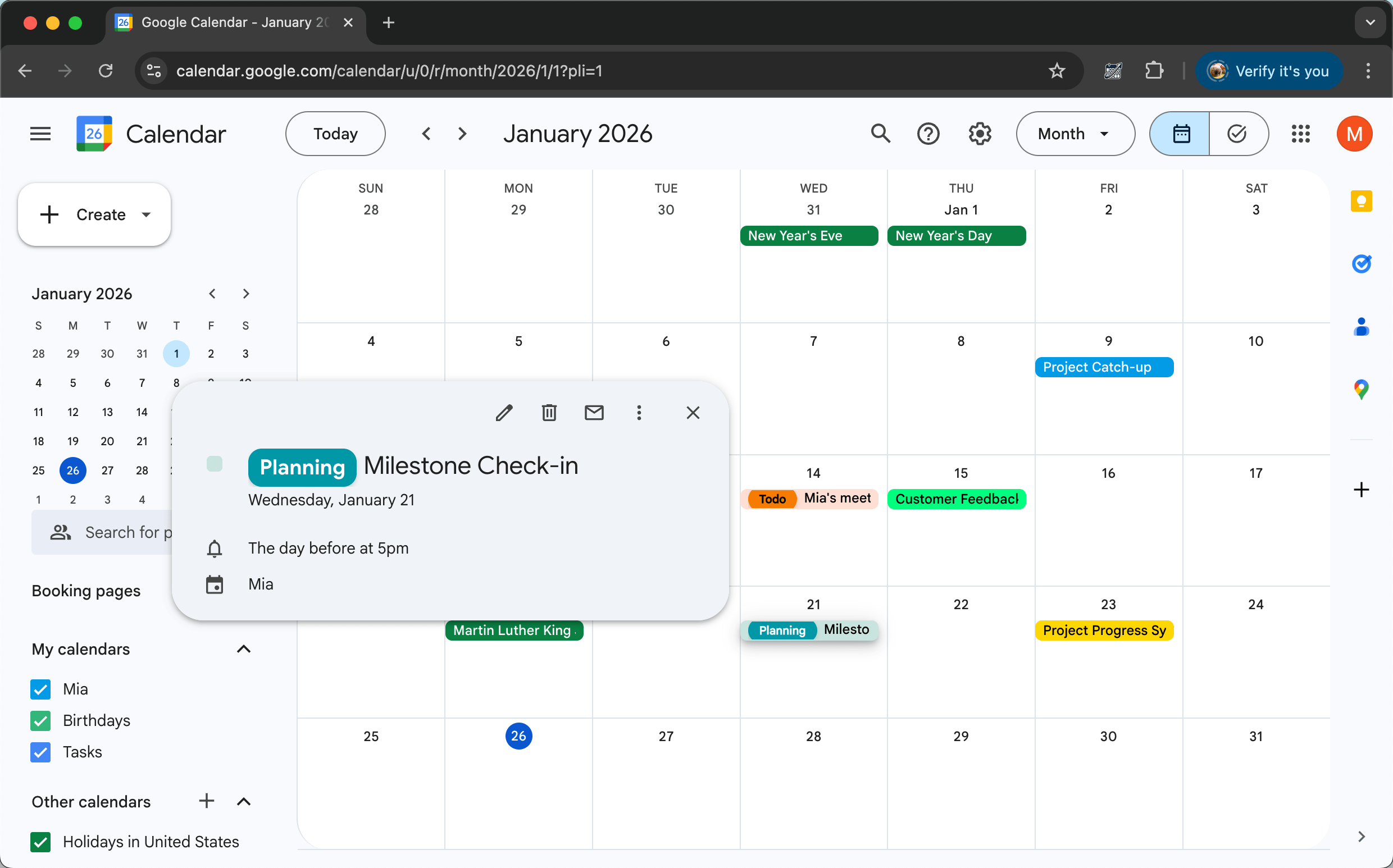
讓你的 Google 日曆真正屬於你。CalendarBoost 讓你自由添加無限自定義顏色和視覺標籤,應用高級主題,使用與你的工作流程相匹配的精美個性化顏色和標籤徽章來組織你的日程。

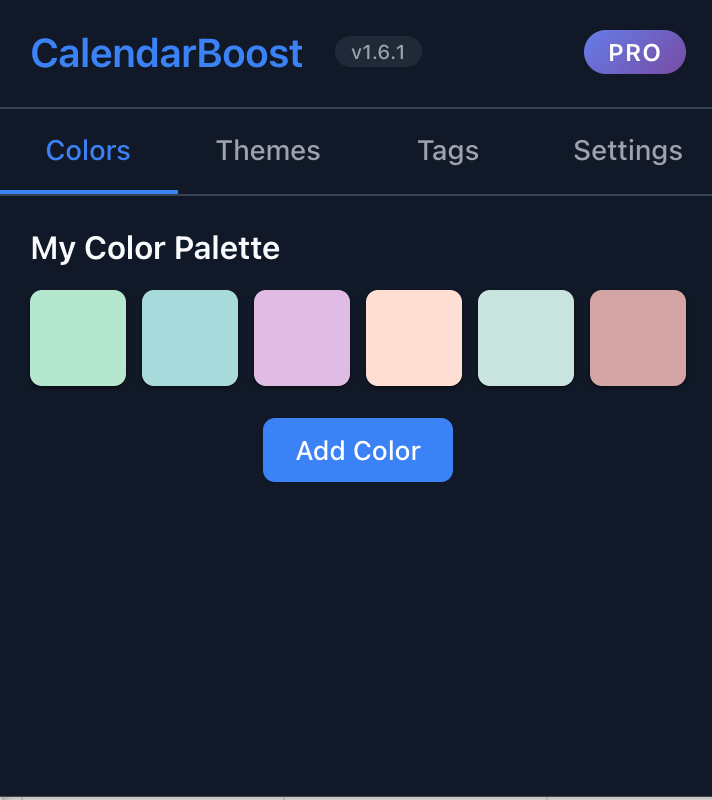
使用我們直觀的顏色選擇器添加所需的任意數量自定義顏色。沒有限制 - 為你獨特的日曆需求創建完美調色板。

創建顯示在事件上的彩色標籤徽章。使用簡單語法如'會議, 客戶: 項目討論'添加多個標籤。完美適用於按類型、優先級或上下文組織事件。

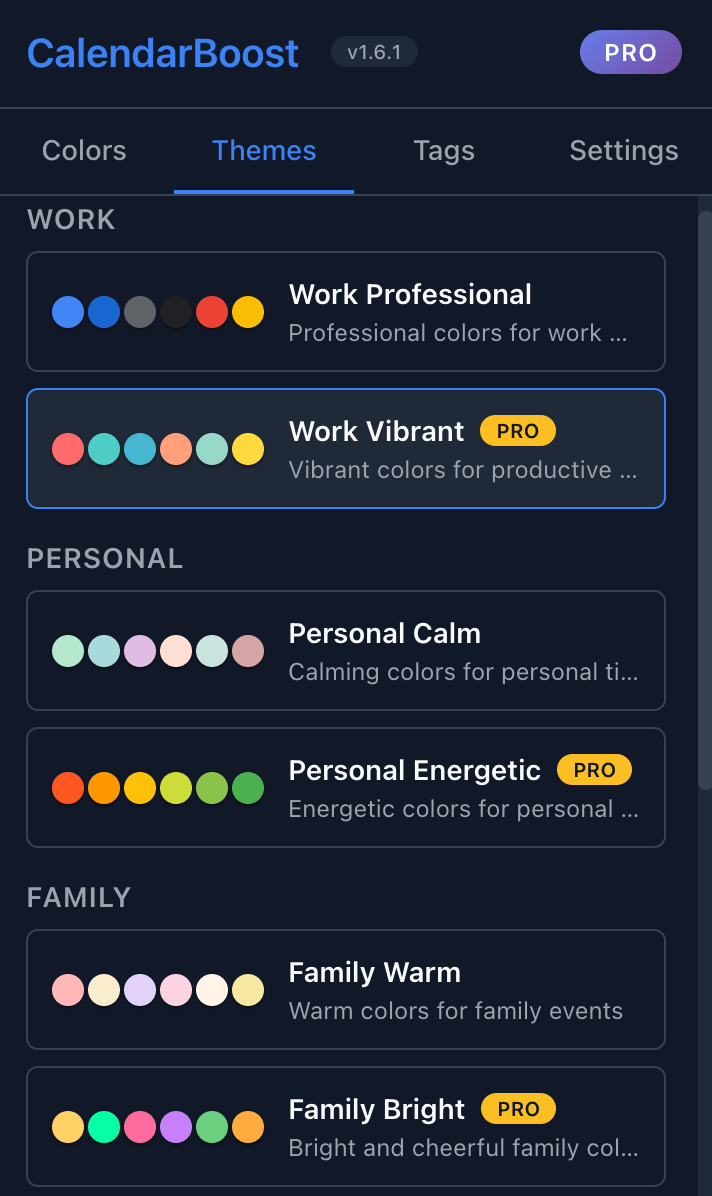
從專業設計的工作、個人、家庭、健康和社交類別預設主題中選擇。一鍵應用完整配色方案。
Break free from Google Calendar's default color limitations. With CalendarBoost Pro, add unlimited custom colors to match your projects, clients, or personal categories. Our smart color picker ensures perfect contrast and readability on any theme.
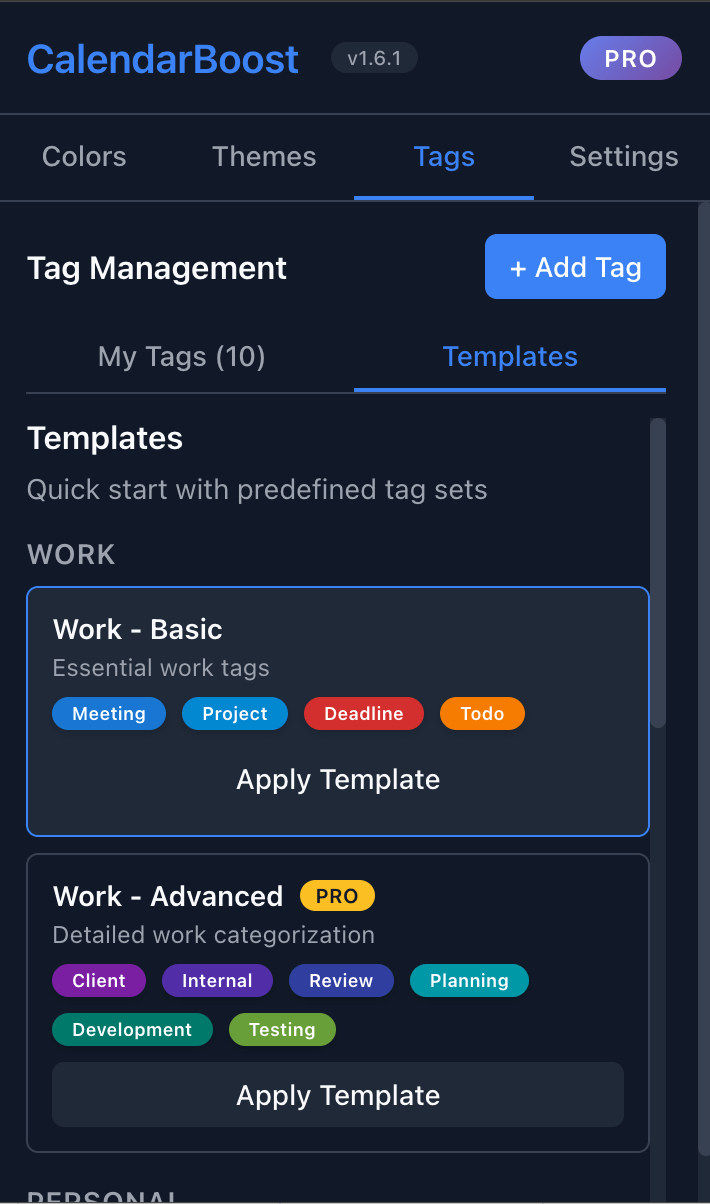
使用直接顯示在日曆上的彩色標籤徽章來組織事件。創建自定義標籤如'客戶會議'、'團隊同步'或'個人',並使用簡單的語法如'標籤1, 標籤2: 事件名稱'為任何事件分配多個標籤。標籤即時顯示為彩色徽章,便於一目了然地篩選和識別不同的事件類型。
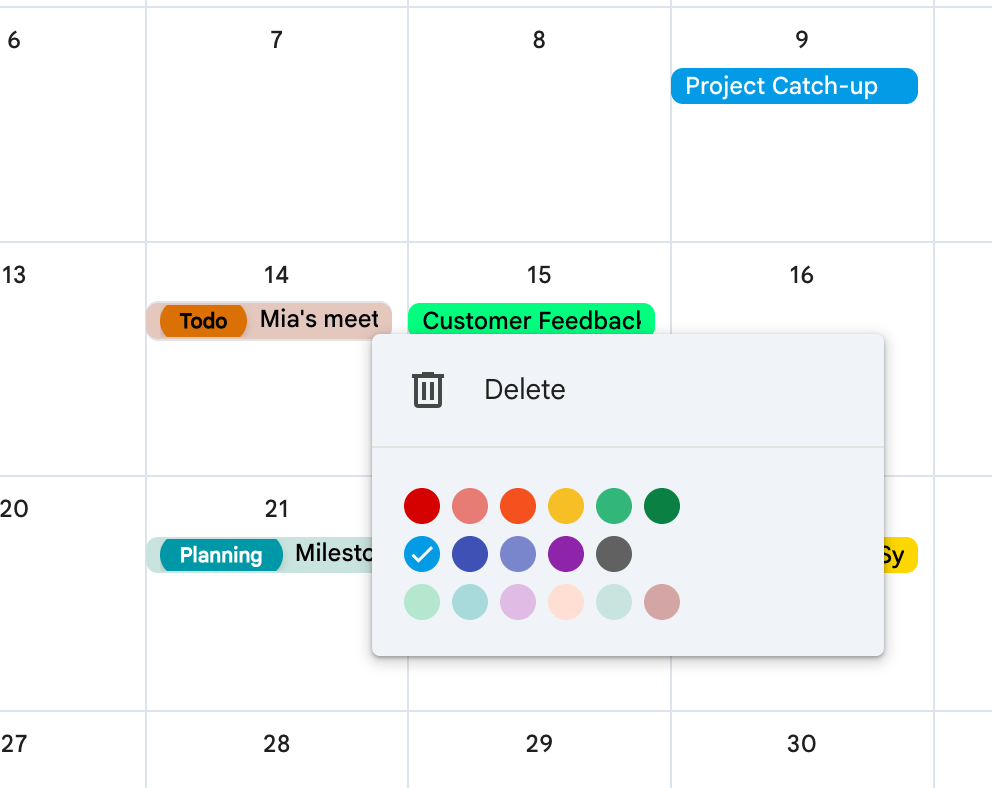
CalendarBoost integrates directly into Google Calendar with zero learning curve. Your custom colors appear instantly in all calendar views, work across devices, and sync automatically. Dark mode fully supported.
可創建的自定義顏色(PRO版)
支持的語言
專業主題類別

CalendarBoost 徹底改變了我的專案管理方式!我使用'客戶, 緊急: 會議'這樣的標籤語法來快速分類事件。結合無限自訂顏色——客戶會議用紅色,團隊同步用藍色——我可以一眼看到整週的優先事項。顏色選擇器直觀易用,讓管理10多個專案變得輕而易舉。

作為服務多個客戶的顧問,CalendarBoost 的標籤徽章非常寶貴。我用'客戶A, 計費: 戰略會議'這樣的標籤,彩色徽章讓計費追蹤變得可視化和即時。高級主題幫助我保持專業外觀,我可以根據與客戶分享的日曆視圖在'工作模式'和'個人模式'主題之間切換。

作為設計主管,美學很重要!預設主題設計得非常精良——色彩和諧和對比度都恰到好處。我喜歡在設計衝刺期間應用'創意工作'主題,在深度工作時切換到'簡約專注'主題。視覺標籤徽章也增加了一個很好的組織層次,而不會讓界面顯得雜亂。就像在日曆中內建了一位 UX 設計師!

作為工程師,我很欣賞它與 Google 日曆的無縫整合。顏色在所有裝置上即時同步,文字對比度演算法確保在明暗模式下都有完美的可讀性。最讓我印象深刻的是 CalendarBoost 如何處理即時更新——當我在手機上給事件添加標籤時,彩色徽章立即出現在桌面上。技術實現很扎實!

在使用 CalendarBoost 之前,我被困在 Google 有限的調色板中,日曆一片混亂。現在我為各種業務專案使用無限自訂顏色,匯入/匯出功能讓我可以備份整個設定並與團隊分享。就像終於有了一個適應我創業混亂狀態的日曆,而不是與之對抗!

作為有6個不同班級、家長會和課外活動的高中教師,CalendarBoost 改變了遊戲規則。我給每個班級分配獨特的顏色——代數用綠色,歷史用藍色——並使用'評分, 緊急'或'會議, 家長'這樣的標籤來優先處理任務。在此之前,我無法一眼看出哪些會議是關鍵的。現在我每週50多個事件的複雜日程終於在視覺上易於管理,而且看起來真的很美!
Start for free – upgrade only if you need unlimited colors.
Ready to transform your Google Calendar? Install CalendarBoost now and start creating your perfect color palette!
Install Now