120k+ Users across all products
Chrome & Edge Browser support
PRO alerts Email and webhook automation

The problem

Manual refreshing is a terrible monitoring system.

When a page matters, a simple refresh loop is not enough. You need timing, conditions, alerts, and control over what happens next.

01 Pages change when you look away

Sales drops, appointment slots, stock pages, and dashboards can update while you are focused somewhere else.

02 Basic refresh extensions are blind

They reload the page, but they cannot tell you whether the keyword, section, or condition you care about appeared.

03 Uncontrolled refresh can break sessions

Redirects, scroll jumps, CAPTCHAs, and error pages need guardrails so a refresh task does not run off course.

Get started

Set up a smarter refresh task in seconds.

Open the extension on any supported page, choose your timing, add monitoring rules, and let the agent watch the tab.

01 Choose a refresh rhythm

Use a preset interval, enter a custom time, randomize between two values, or start after a countdown.

02 Add monitoring rules

Watch visible text or HTML source with keywords, regex, XPath, boolean logic, or a specific CSS selector area.

03 Pick the alert behavior

Notify, play a sound, focus the window, pause, stop, continue after alert, or send PRO email and webhook alerts.

Capabilities

A refresh tool with monitoring logic built in.

Auto Refresh Agent combines refresh scheduling, page scanning, safety controls, and multi-tab visibility in one compact extension.

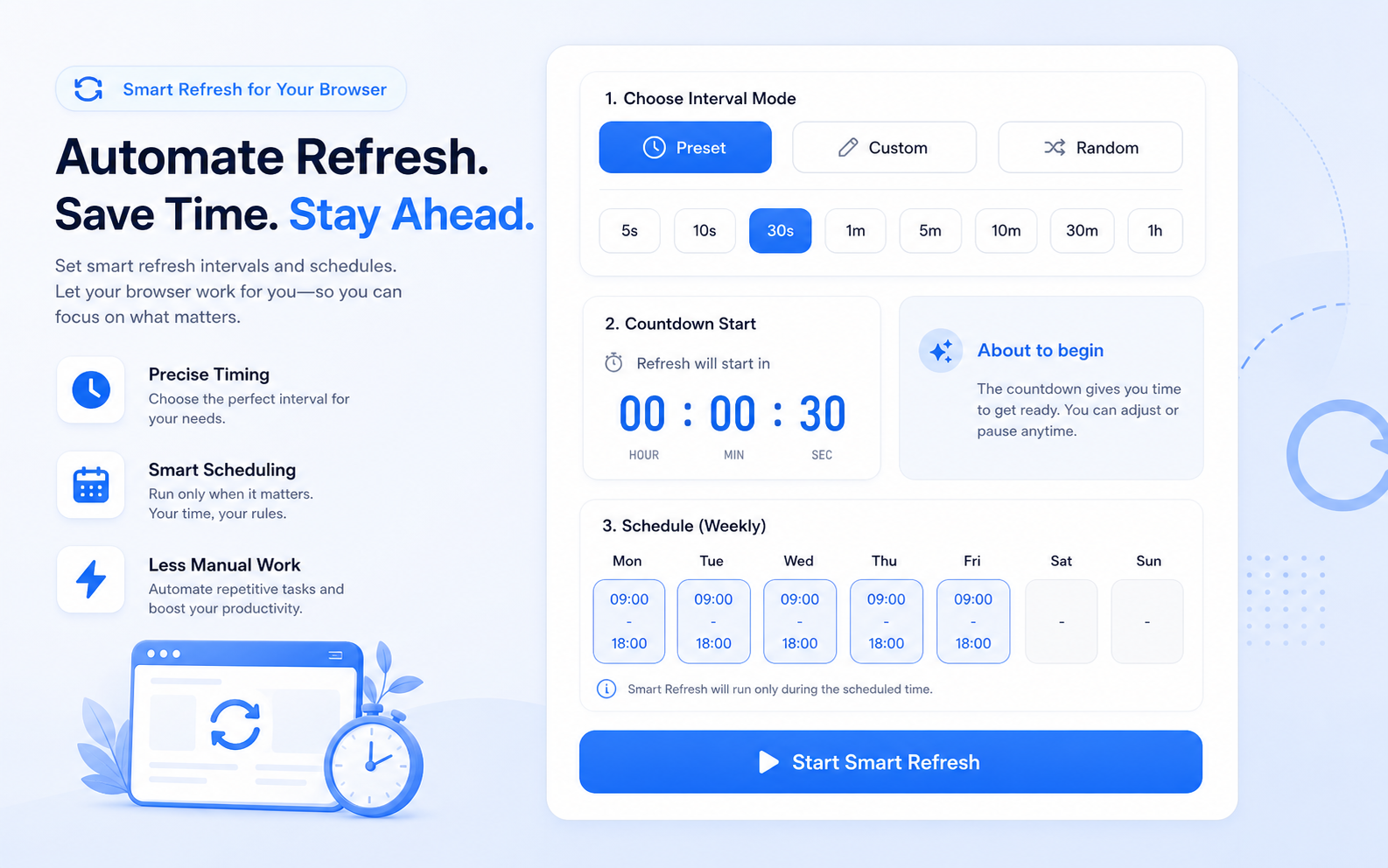
Intervals, randomness, timers, and schedules.

Run a simple every-N-seconds refresh, randomize timing to avoid predictable reload patterns, start from a countdown, or limit refresh windows by day and time.

  • Preset, custom, and random interval modes
  • Countdown timer and target date/time starts
  • Schedule refresh windows by weekday and time
Auto Refresh Agent concept preview of interval, countdown, and schedule controls

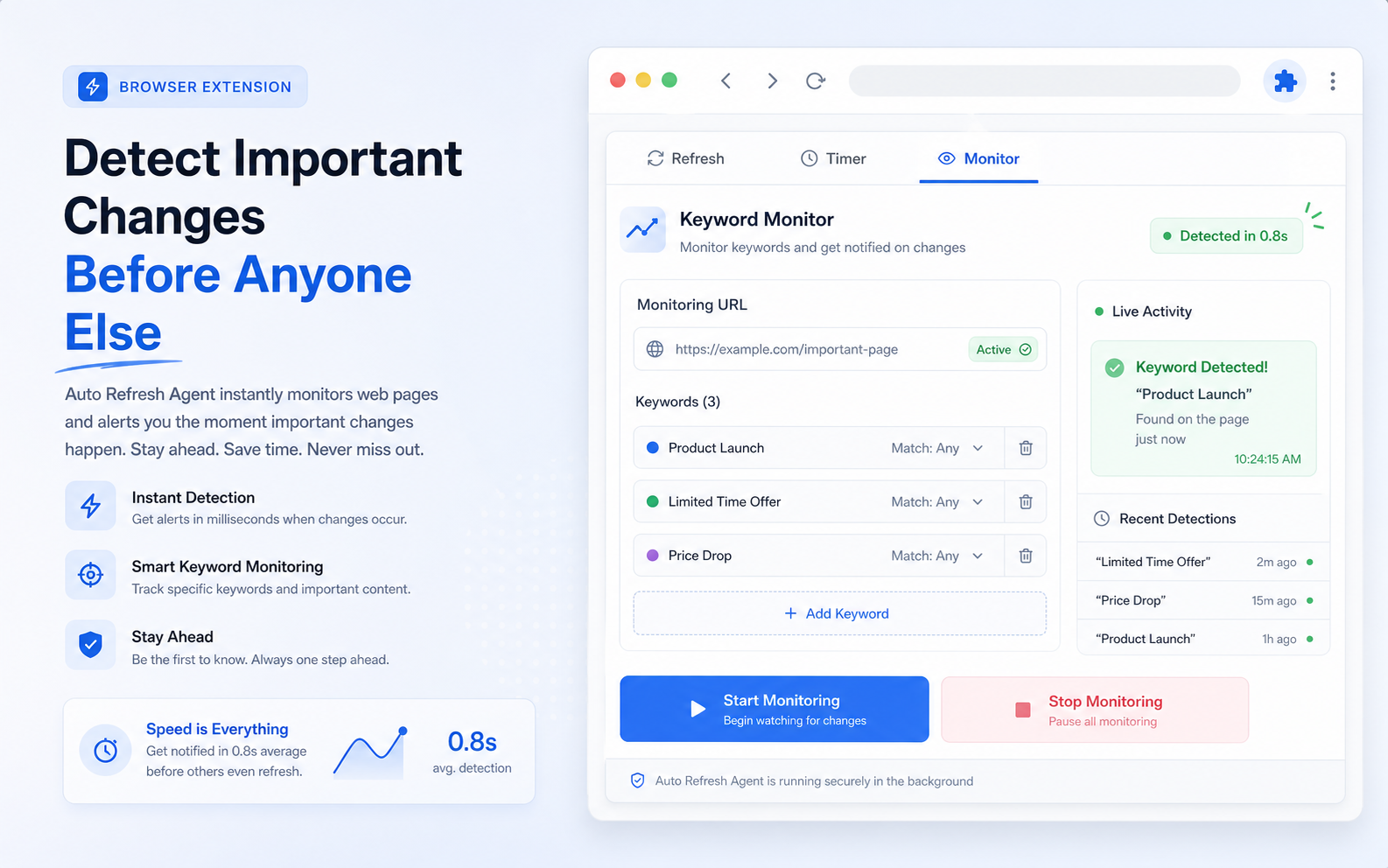
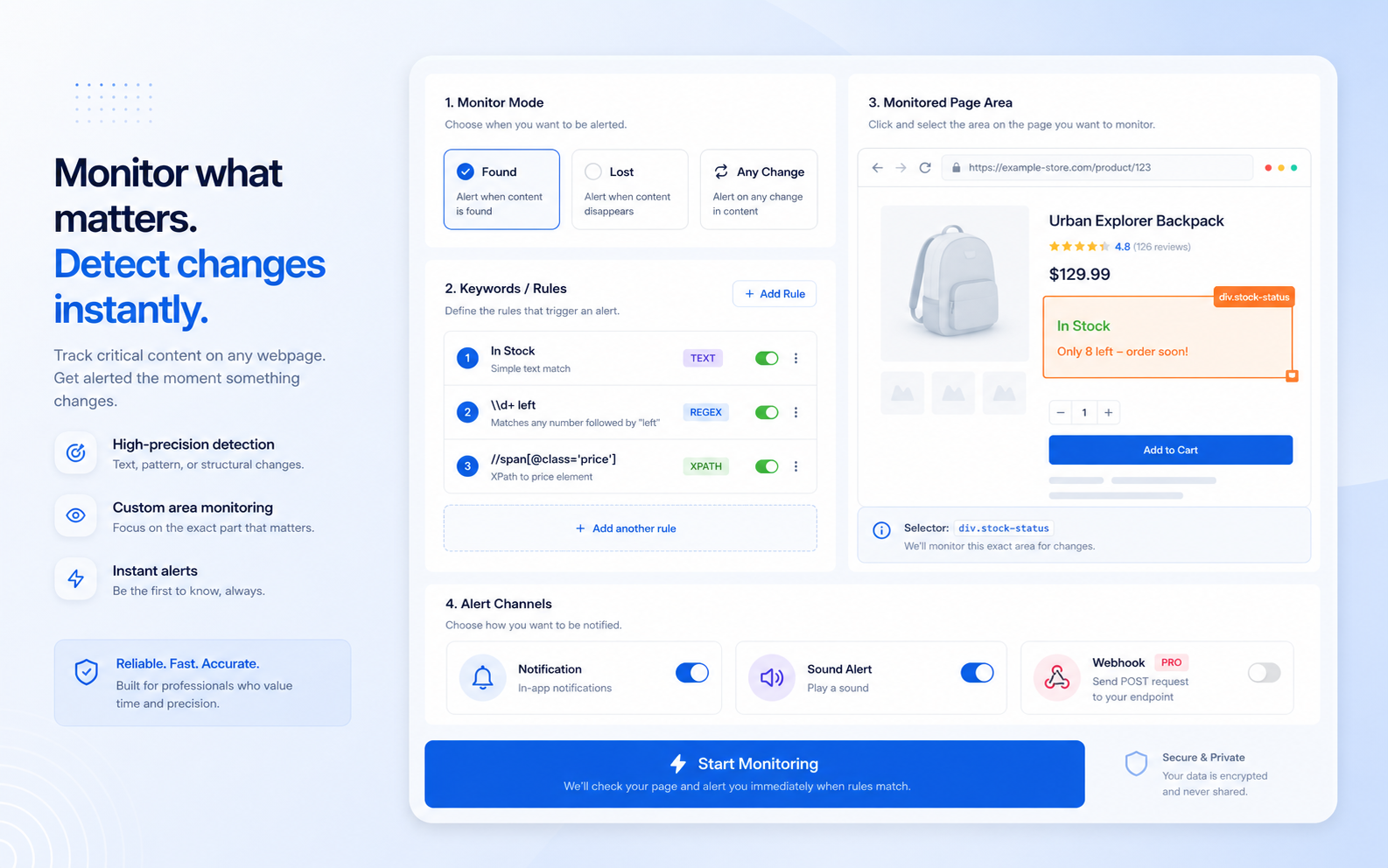
Monitor the exact content you care about.

Scan visible text or HTML source, monitor the full page or a selected area, and use keyword, regex, XPath, or boolean matching to detect important changes.

  • Text, regex, XPath, and boolean keyword types
  • Full-page or CSS selector based monitoring area
  • Real-time detection and keyword highlighting
Auto Refresh Agent concept preview of page monitoring settings

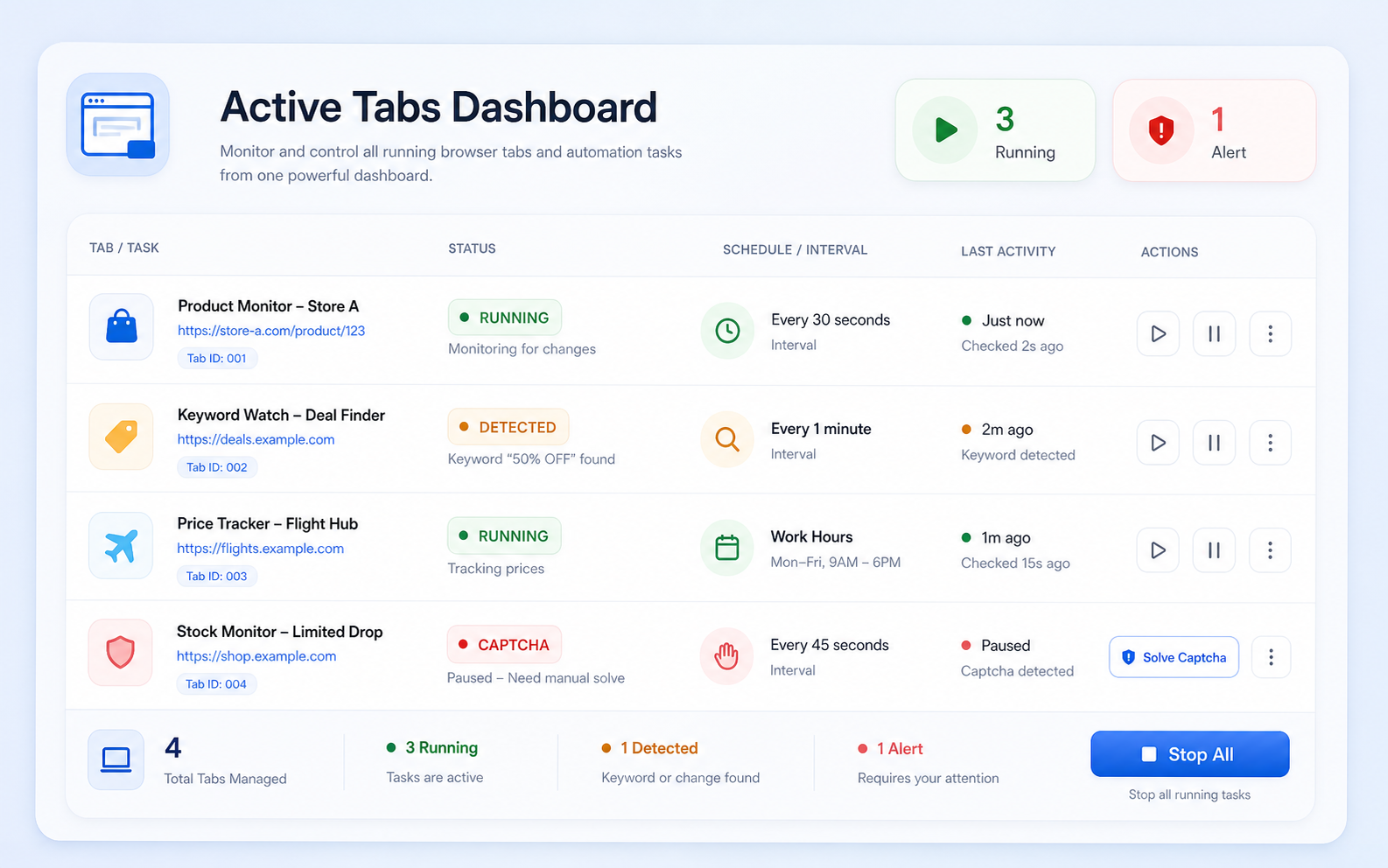
Stay in control across every active tab.

See which tabs are refreshing, where alerts happened, and what the current status is. Pause, resume, or open active tabs without losing track.

  • Active tabs dashboard for running refresh tasks
  • Unread alert state for detected keywords
  • Status labels for running, paused, CAPTCHA, and error states
Auto Refresh Agent concept preview of the active tabs dashboard

Use cases

Built for pages that need attention.

Use Auto Refresh Agent when the page is live, changing, and worth catching quickly.

Inventory and drops

Watch product pages, booking pages, and availability screens.

  • Refresh at controlled intervals
  • Alert when a target keyword appears
  • Stop or pause after detection
Dashboards and reports

Keep live dashboards fresh without manually reloading.

  • Restore scroll position
  • Detect error pages
  • Use schedules for work hours
Research and operations

Monitor job boards, announcements, issue trackers, or status pages.

  • Bulk keywords
  • Custom monitor area
  • Webhook alerts for automations

Why Auto Refresh Agent

More than a reload button on a timer.

Simple refresh tools reload blindly. Auto Refresh Agent adds monitoring, alerts, and safeguards for real workflows.

Capability Auto Refresh Agent Basic Auto Refresh Manual Refresh
Fixed and random intervals Partial
Countdown and schedules Limited
Keyword, regex, XPath, boolean monitoring Rare
Email and webhook alerts PRO
CAPTCHA and error detection
Multi-tab status dashboard Partial

Privacy & control

Your monitoring rules stay in your browser.

Auto Refresh Agent is designed around local tab state, browser storage, and explicit page access.

  • Local-first settings Refresh settings, keywords, and defaults are stored in browser storage.
  • Explicit host access The extension asks for page access before controlling or monitoring protected pages.
  • Protected page handling Browser internal pages and restricted URLs are detected and shown as unsupported.
  • Clear stopping behavior CAPTCHA, error, interaction, redirect, and alert actions can pause or stop a task.

Pricing

Start free, upgrade when monitoring becomes mission-critical.

Free covers core refresh workflows. PRO unlocks unlimited keywords, multiple monitor tabs, and automation alerts.

Free plan available Chrome & Edge 30-day guarantee

View all pricing details →

Free

Free

$0 / month

  • Interval, countdown, random, and scheduled refresh
  • 1 keyword per tab · 1 active monitor tab
  • Browser notification and sound alerts
  • CAPTCHA and error detection
  • Multi-tab status view
Pro

Pro

$3.99 / month

  • Unlimited keywords per tab
  • Unlimited simultaneous monitor tabs
  • Email alerts
  • Webhook alerts
  • Unlimited templates
  • Priority support

FAQ

Common questions about Auto Refresh Agent.

Quick answers for refresh, monitoring, alerts, and PRO features.

Is Auto Refresh Agent free?

Yes. The free plan supports interval, countdown, random, and scheduled refresh, 1 keyword per tab, 1 active monitor tab, browser notifications, sound alerts, and safety detection. PRO unlocks unlimited keywords, unlimited monitor tabs, email alerts, webhook alerts, and priority support.

Can it monitor a specific part of a page?

Yes. You can monitor the full page or a custom CSS selector area, and you can use the element picker to help capture the selector you need.

What matching modes are supported?

Auto Refresh Agent supports plain text keywords, regular expressions, XPath rules, and boolean keyword logic. You can scan visible text or HTML source.

What happens when a keyword is detected?

You can show a browser notification, play a sound, focus the window, highlight the keyword, continue refreshing, pause, or stop. PRO users can also send email alerts and webhook alerts.

Does it handle CAPTCHAs or error pages?

Yes. CAPTCHA and error detection can notify you, pause, or stop refresh tasks so the page does not keep reloading in a broken state.

Can I manage multiple refreshing tabs?

Yes. The tabs page shows active refresh tasks and tabs with alerts. The free plan supports 1 active monitor tab, while PRO unlocks unlimited simultaneous monitor tabs.


More tools

Explore more Workspace Power Tools.

AI translation and productivity tools for Google Workspace and your browser.

WebSniply Chrome & Edge

WebSniply

Capture full-page screenshots with annotations and social media templates.

CalendarBoost Chrome & Edge

CalendarBoost

Unlimited custom colors, visual tags, and premium themes for Google Calendar.

Webpage to PDF Chrome & Edge

Webpage to PDF

Convert webpages into clean PDFs with full-page, article, and element modes.

Ready to stop refreshing pages by hand?

Install Auto Refresh Agent and let your browser watch live pages with timing, rules, and alerts.

Add to Chrome — It's Free