122k+ Users across all products
Chrome & Edge Browser support
Free tier No credit card needed

The problem

Why capturing web content is still painful.

Built-in screenshot tools weren't designed for the full-page, social-media, annotation workflow you actually need.

01 Partial captures only

Built-in tools capture the visible viewport. Long pages get cut off — no scrolling support.

02 No social media extraction

Capturing Facebook, Twitter, or Instagram posts as clean images requires manual cropping and cleanup.

03 No annotation tools

After capturing, you need a separate app to add arrows, text, blur, or highlights before sharing.

Get started

Capture any page in three steps.

No learning curve — install, navigate, and click.

01 Install

Add WebSniply from the Chrome Web Store or Microsoft Edge Add-ons. It takes seconds and requires no configuration.

02 Navigate to any page or post

Open the web page you want to capture or navigate to a social media post on Facebook, Twitter, or Instagram.

03 Click to capture

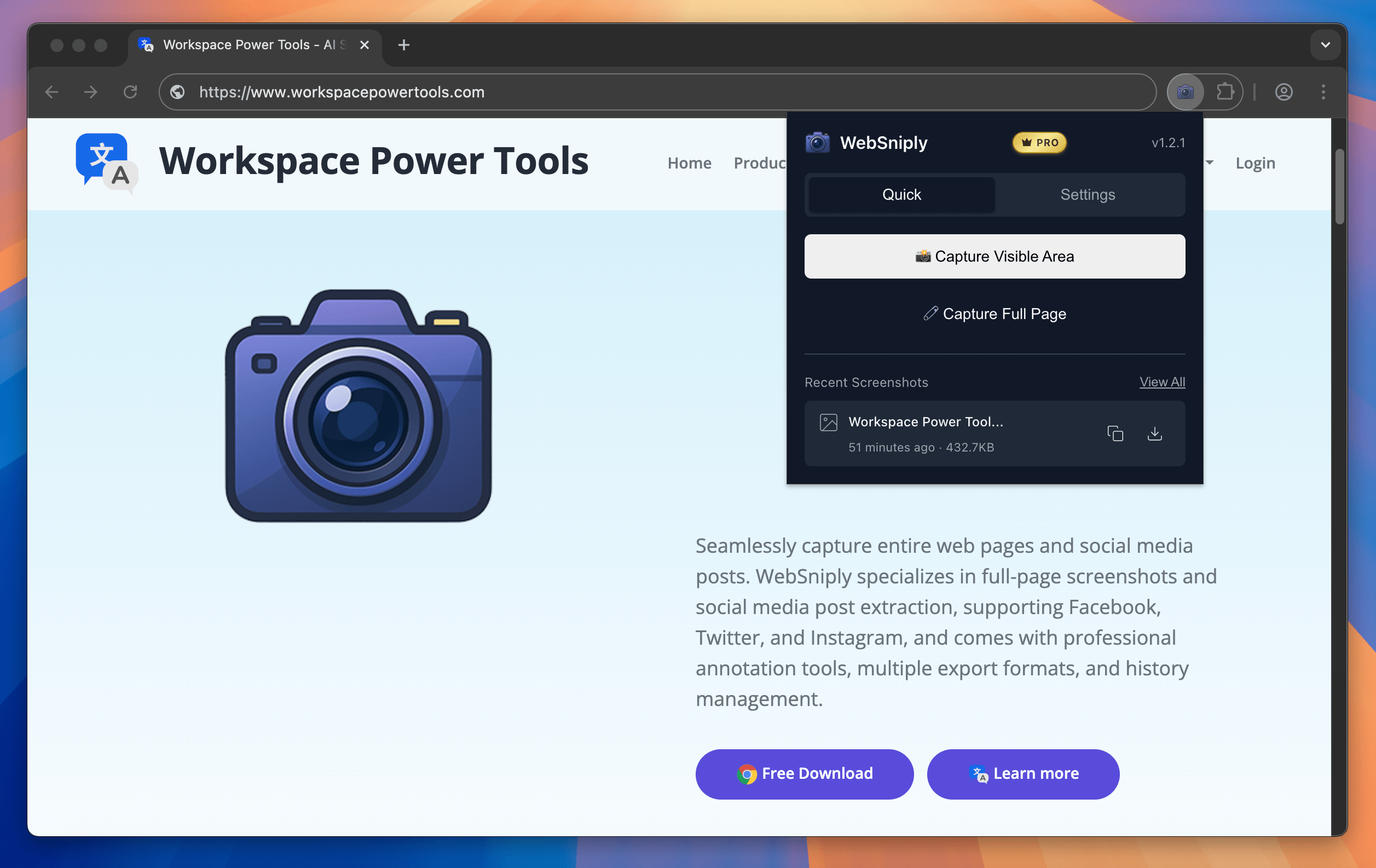
Click the WebSniply icon to capture. Choose full-page scroll, visible area, or social media extraction — then annotate and export.

Capabilities

Everything you need for professional screenshots.

WebSniply handles scrolling, stitching, and social media extraction so you can focus on sharing what matters.

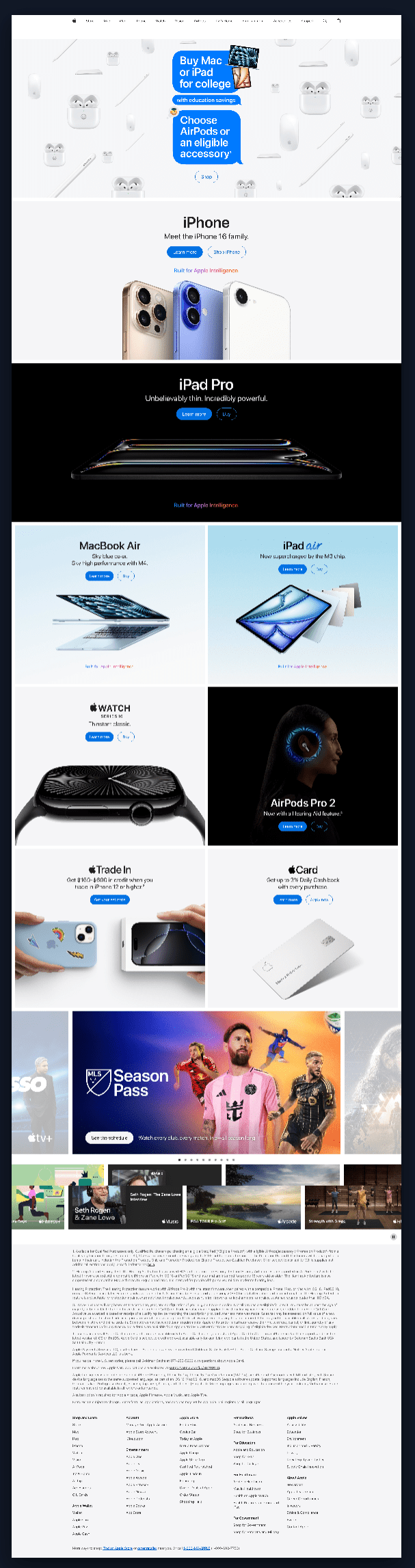
Full-page scrolling capture with auto-stitching.

Capture entire web pages regardless of length. WebSniply automatically scrolls and stitches the content into a single seamless image — no manual work required.

  • Intelligent scroll detection for any page length
  • Seamless stitching with no gaps or overlaps
  • Works on complex layouts with infinite scroll
WebSniply full-page scrolling screenshot capture

Social media post extraction built in.

Capture Facebook posts, Twitter tweets, and Instagram content with their images intact. Optimized extraction preserves post formatting and media for professional archiving.

  • Facebook, Twitter, and Instagram post capture
  • Images and media preserved in context
  • Clean extraction without browser chrome or ads
WebSniply social media post extraction from Facebook and Twitter

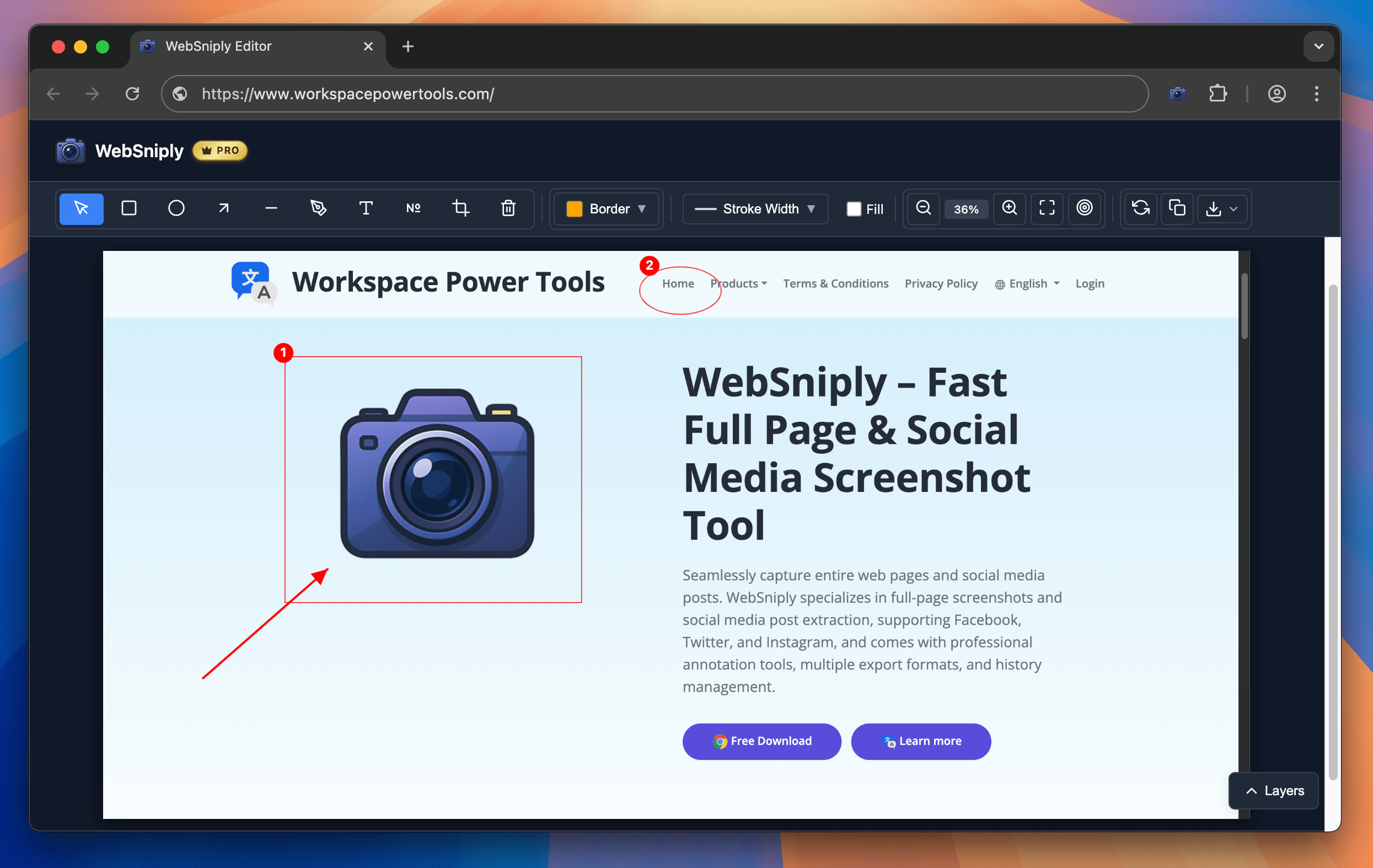
Professional annotation and editing tools.

Annotate screenshots immediately after capture with arrows, rectangles, ellipses, text, free-hand brush, and mosaic/blur tools. Customize colors, thickness, and font size.

  • Arrows, shapes, text, and free-hand drawing
  • Mosaic and blur for sensitive information
  • Color picker with adjustable thickness and size
WebSniply built-in annotation and editing tools

Use cases

Built for anyone who captures from the web.

From bug reports to social media archives, WebSniply gives you the complete capture-annotate-share workflow.

QA & Developers

Capture full-page screenshots for bug reports with annotations highlighting the exact issue.

  • Full-page scrolling captures long pages
  • Annotate with arrows, text, and blur
  • Drag and drop into issue trackers
Social Media Teams

Extract clean screenshots of social media posts for competitive analysis and content archives.

  • Facebook, Twitter, Instagram extraction
  • Clean captures without browser chrome
  • Export in PNG, JPG, or PDF
Content Creators

Capture reference material, design inspiration, and tutorial content from any website.

  • Element selection for precise captures
  • Screenshot history for version tracking
  • Share directly to email and chat apps

Why WebSniply

How it compares to the alternatives.

Built-in browser tools and generic screenshot extensions fall short. WebSniply is purpose-built for full-page and social media capture.

Capability WebSniply Browser Built-in Other Extensions
Full-page scrolling capture Partial
Social media post extraction
Built-in annotation tools Partial
Multiple export formats PNG only Partial
Screenshot history
Chrome & Edge support Chrome only Chrome only
Free tier available Varies

See full comparison →

Security & Privacy

Your screenshots stay private.

WebSniply processes everything locally — your captures never leave your browser.

  • 100% client-side Screenshots are captured and processed entirely in your browser. Nothing is uploaded.
  • No data collection We never read, store, or transmit the content of the pages you capture.
  • Minimal permissions Only requests the permissions needed for screenshot capture — nothing more.
  • Local storage only Screenshot history is stored in your browser's local storage — only you can access it.

Pricing

Simple, transparent pricing.

Start free — upgrade only when you need advanced features. All plans include full-page capture and social media extraction.

View all pricing details →

Free

Free

$0 / month

  • Visible area screenshot
  • Full-page screenshot
  • Multiple export formats (PNG, JPG, PDF)
  • PDF header/footer setup (with watermark)
  • Editor tools (without save)
Pro

Pro

$4.99 / month

  • Visible area screenshot
  • Full-page screenshot
  • Multiple export formats (PNG, JPG, PDF)
  • PDF header/footer setup (no watermark)
  • Editor tools with save
  • Remove brand watermark
  • Priority customer support
Enterprise

Domain License

$999 / year

Up to 1,000 users

  • Visible area screenshot
  • Full-page screenshot
  • Multiple export formats (PNG, JPG, PDF)
  • PDF header/footer setup (no watermark)
  • Editor tools with save
  • Remove brand watermark
  • Priority support & onboarding
  • Unified domain license management

FAQ

Common questions about WebSniply.

Quick answers for the questions that come up most before installing.

Is WebSniply free to use?

Yes. The free plan includes full-page screenshots, visible area capture, and multiple export formats. No credit card is required. Upgrade to Pro to unlock the editor save feature and remove watermarks.

Which browsers does WebSniply support?

WebSniply is available for Google Chrome and Microsoft Edge. Install it from the Chrome Web Store or Microsoft Edge Add-ons marketplace.

How does the full-page screenshot work?

WebSniply automatically scrolls the entire page and captures each viewport, then stitches all sections into a single seamless image. It handles sticky headers, infinite scroll, and complex layouts without gaps.

Which social media platforms are supported?

WebSniply supports Facebook posts, Twitter/X tweets, and Instagram posts. It extracts the post content including images in a clean format, removing browser chrome and ads.

What annotation tools are included?

The built-in editor includes arrows, rectangles, ellipses, free-hand brush, text, and mosaic/blur tools. You can customize colors, brush thickness, and font size for professional annotations.

Are my screenshots uploaded to a server?

No. All screenshot processing happens locally in your browser. Your captures are never uploaded to external servers — they stay entirely on your device.

Can I access my previous screenshots?

Yes. WebSniply maintains a history of your captures. You can review, re-edit, or re-export any previous screenshot at any time from the extension's history panel.


Read more tips on our blog →

More tools

Explore more Workspace Power Tools.

AI translation and productivity tools for Google Workspace and your browser.

Webpage to PDF Chrome & Edge

Webpage to PDF

Save any webpage as a beautifully formatted PDF — full page, article, or selected elements.

CalendarBoost Chrome & Edge

CalendarBoost

Unlimited custom colors, visual tags, and premium themes for Google Calendar.

AI Docs Translator Google Workspace

AI Docs Translator

Translate entire Google Docs while preserving formatting, headers, and tables.

Ready to capture smarter screenshots?

Install WebSniply and start capturing full-page and social media screenshots in seconds. Free plan available — no credit card required.

Add to Chrome — It's Free