122k+ Users across all products
Chrome & Edge Browser support
Free tier No credit card needed

The problem

Why Google Calendar's default colors aren't enough.

When every event looks the same, your schedule becomes a blur instead of a plan.

01 Only 11 colors to choose from

Google Calendar limits you to 11 preset colors. When you manage multiple calendars and event types, everything blends together.

02 No visual tags or labels

You can't tag events with visual badges — making it impossible to see categories, priorities, or status at a glance.

03 Bland, one-size-fits-all look

The default theme offers no personalization. Dark mode users and power schedulers deserve better.

Get started

Up and running in three steps.

No configuration needed — install, open your calendar, and go.

01 Install the extension

Add CalendarBoost from the Chrome Web Store or Microsoft Edge Add-ons. One click and you're ready.

02 Open Google Calendar

Navigate to Google Calendar as usual. CalendarBoost activates automatically — no extra tabs or menus.

03 Colors and tags appear

Your custom color palette, tag badges, and theme options are ready to use. Pick any color, add tags to events, and enjoy a beautifully organized calendar.

Capabilities

Everything you need for a beautifully organized calendar.

CalendarBoost goes far beyond Google Calendar's built-in 12 colors — giving you full creative control over how your schedule looks and feels.

Unlimited custom colors for every event.

Break free from Google Calendar's limited palette. Add as many custom colors as you need with an intuitive color picker that ensures perfect contrast and readability.

  • Full-spectrum color picker with hex, RGB, and HSL input
  • Smart contrast algorithm for readable text on any color
  • Colors sync across all calendar views instantly
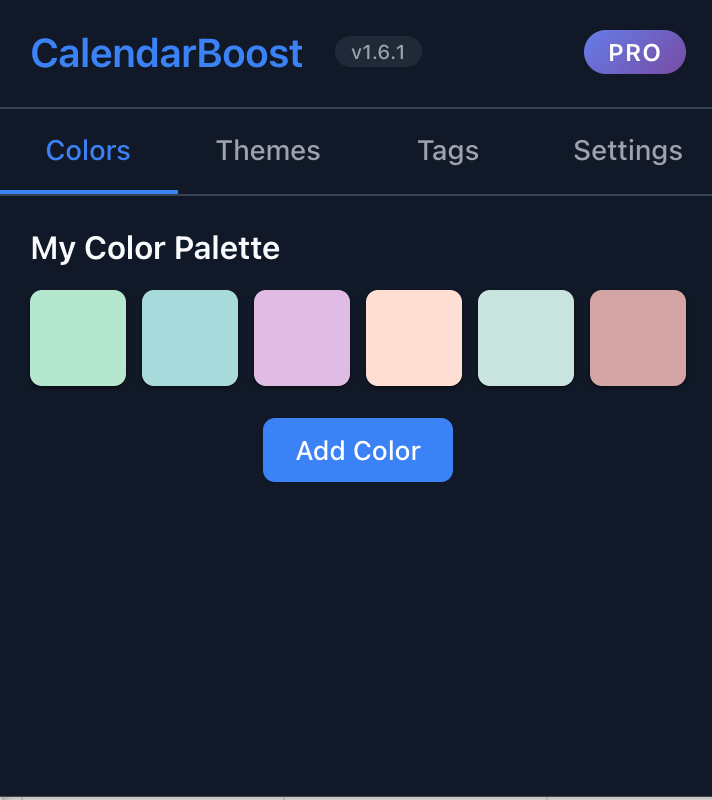
CalendarBoost unlimited color picker interface

Visual tag badges for instant clarity.

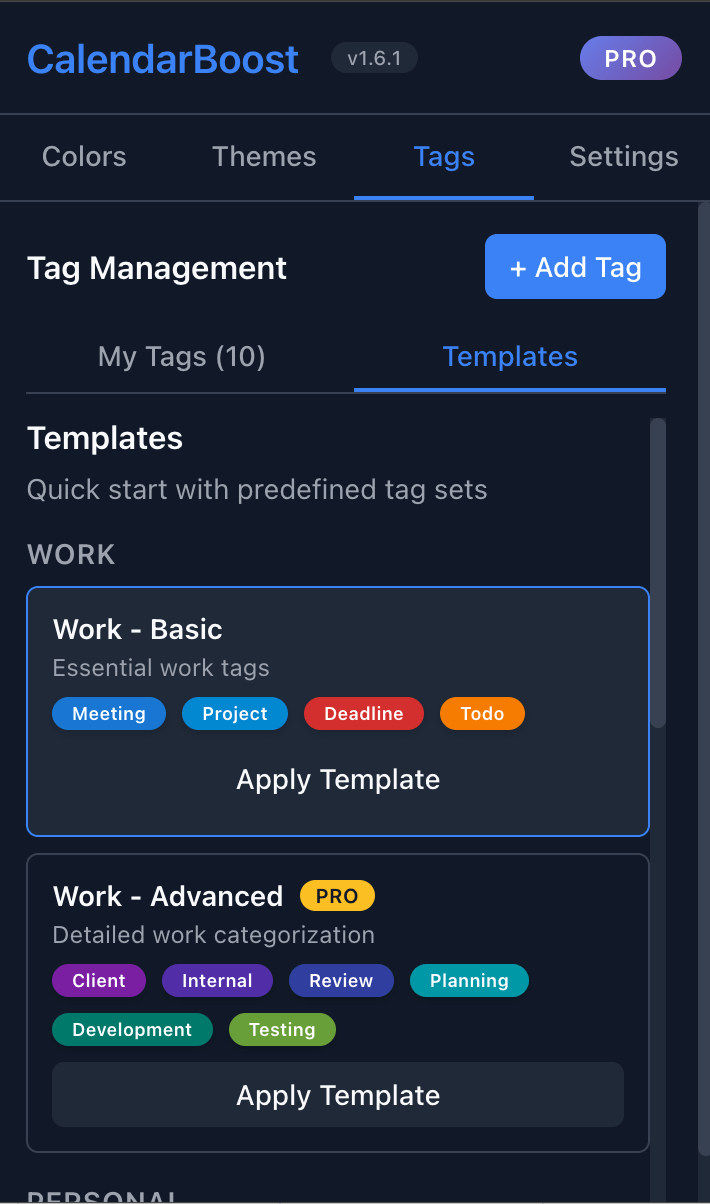
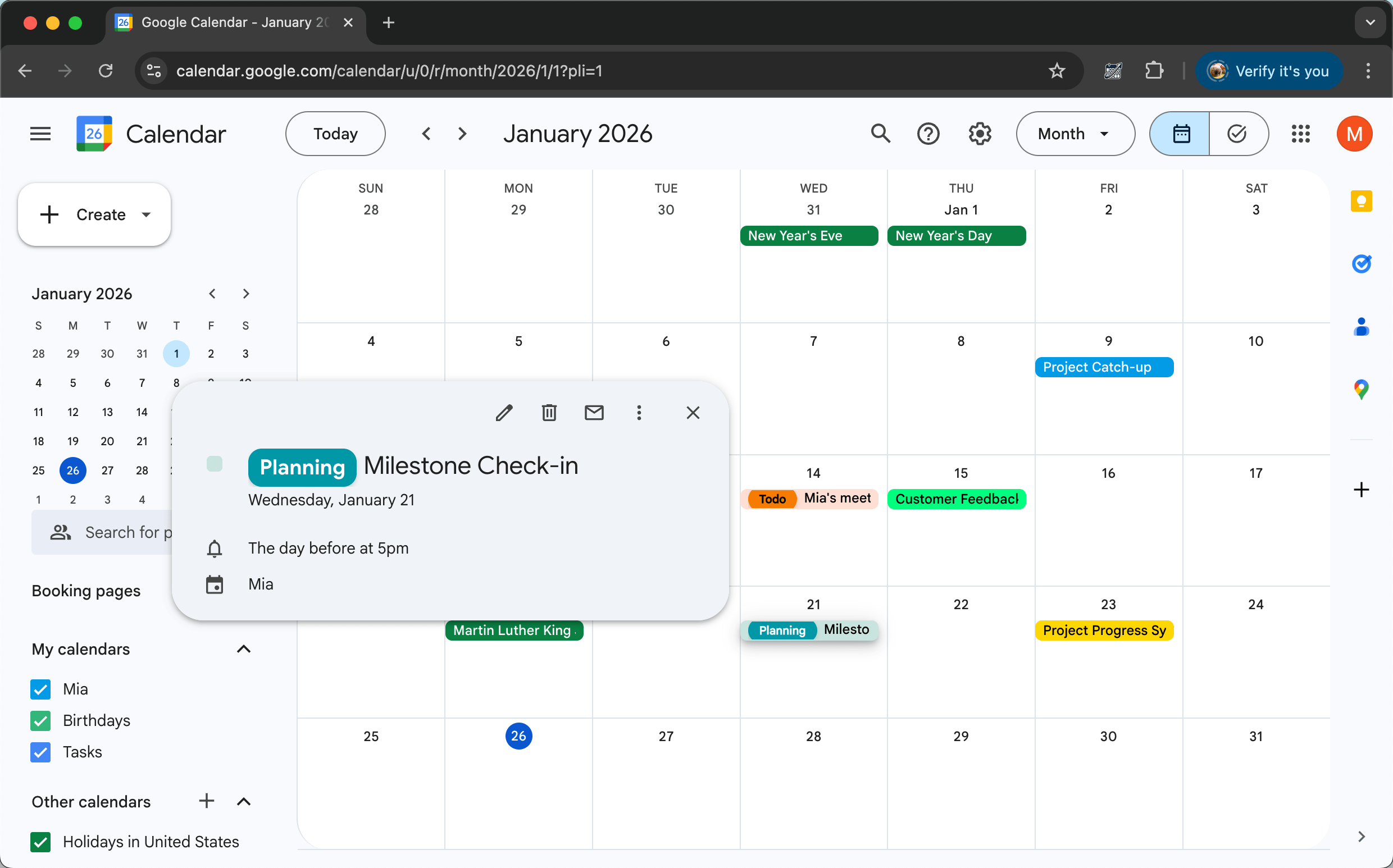
Create colorful tag badges that appear directly on your events. Use simple syntax like 'Meeting, Client: Project Discussion' to assign multiple tags. See event types, priorities, and contexts at a glance.

  • Add multiple tags per event with comma-separated syntax
  • Color-coded badges visible on every calendar view
  • Filter and identify event types instantly
CalendarBoost visual tag badges on calendar events

Premium themes applied in one click.

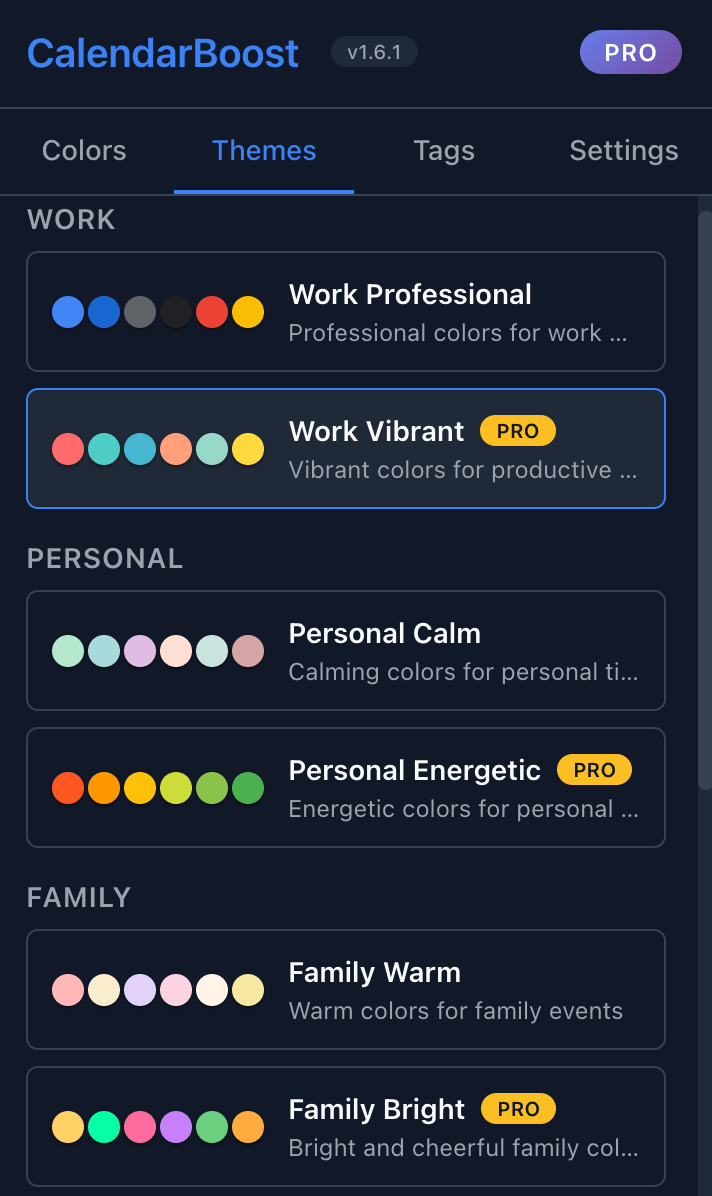
Choose from professionally designed preset themes for work, personal, family, health, and social categories. Apply complete color schemes instantly and switch between themes to match your mood or context.

  • Curated themes for work, personal, wellness, and more
  • Light and dark mode fully supported
  • Customize any theme to your preference
CalendarBoost premium theme selection interface

Use cases

Built for anyone who lives in Google Calendar.

From freelancers to enterprise teams, CalendarBoost makes your schedule instantly readable.

Freelancers & Creators

Color-code client projects, deadlines, and personal time to keep everything visually separated.

  • Unlimited custom hex colors
  • Tag events with visual badges
  • Instantly see which project owns your day
Managers & Leads

Color meeting types (1:1s, standups, reviews) and add priority tags for at-a-glance scheduling.

  • Distinguish recurring meetings by type
  • Add priority and status badges
  • Premium themes for visual clarity
Educators & Students

Organize classes, office hours, study sessions, and assignments with distinct colors and tags.

  • Color-code by course or subject
  • Tag events with assignment status
  • Works across Chrome and Edge

Why CalendarBoost

How it compares to the alternatives.

Google Calendar's default 12 colors are not enough for complex schedules. CalendarBoost removes every limitation.

Capability CalendarBoost Google Calendar Default Other Extensions
Unlimited custom colors 11 only Partial
Visual tag badges
Premium themes & dark mode Basic only Partial
One-click theme presets
Multi-language support Partial
Chrome & Edge support N/A Chrome only
Free tier available Varies

See full comparison →

Security & Privacy

Your calendar stays private.

CalendarBoost works entirely in your browser — no data ever leaves your device.

  • 100% client-side All color and theme changes happen locally in your browser. No server calls required.
  • No data collection CalendarBoost never reads, stores, or transmits your calendar event data.
  • Minimal permissions Only requests the permissions needed to style Google Calendar — nothing more.
  • Open source friendly Transparent about what the extension does. Review our Privacy Policy for full details.

Pricing

Simple, transparent pricing.

Start for free — upgrade only when you need unlimited colors and tags.

View all pricing details →

Starter

Free

$0 / month

  • Up to 3 custom colors
  • Up to 3 tags
  • Basic preset themes
  • Light & Dark mode
  • Multi-language support
Pro

Pro

$3.99 / month

  • Custom colors: Unlimited
  • Tags: Unlimited
  • All premium themes
  • Advanced tag templates
  • Priority customer support

FAQ

Common questions about CalendarBoost.

Quick answers for the questions that come up most before installing.

Is CalendarBoost free to use?

Yes. The free plan includes 3 custom colors, 3 tags, and basic preset themes — no credit card required. Upgrade to Pro for unlimited colors, tags, and all premium themes.

Does CalendarBoost work with Microsoft Edge?

Yes. CalendarBoost is available on both the Chrome Web Store and Microsoft Edge Add-ons. It works identically in both browsers.

Will CalendarBoost slow down Google Calendar?

No. CalendarBoost is a lightweight extension that processes everything locally in your browser. It adds minimal overhead and does not make network requests for color or tag operations.

How do tags work?

Add tags directly in your event title using simple syntax like 'Meeting, Urgent: Project Kickoff'. CalendarBoost parses the comma-separated prefixes and displays them as colored badges on the event.

Does CalendarBoost access or store my calendar data?

No. CalendarBoost operates entirely in your browser. It reads the calendar page to apply colors and tags visually but does not send, store, or sync your calendar data to any external server.

Can I use CalendarBoost on multiple computers?

Yes. Install CalendarBoost on each browser where you use Google Calendar. If you are signed into Chrome or Edge sync, your extension settings carry over automatically.

What happens if I uninstall CalendarBoost?

Your Google Calendar events are unaffected — CalendarBoost only adds a visual layer on top. If you uninstall, events revert to Google Calendar's default 12 colors and tag badges are no longer displayed.

Read more tips on our blog →

More tools

Explore more Workspace Power Tools.

AI translation and productivity tools for Google Workspace and your browser.

Webpage to PDF Chrome & Edge

Webpage to PDF

Save any webpage as a beautifully formatted PDF — full page, article, or selected elements.

WebSniply Chrome & Edge

WebSniply

Capture full-page screenshots of any webpage with annotations and social media templates.

AI Slides Translator Google Workspace

AI Slides Translator

Translate entire Google Slides presentations while preserving formatting.

Ready to transform your Google Calendar?

Install CalendarBoost and start creating your perfect color palette. Free tier available — no credit card required.

Add to Chrome — It's Free